


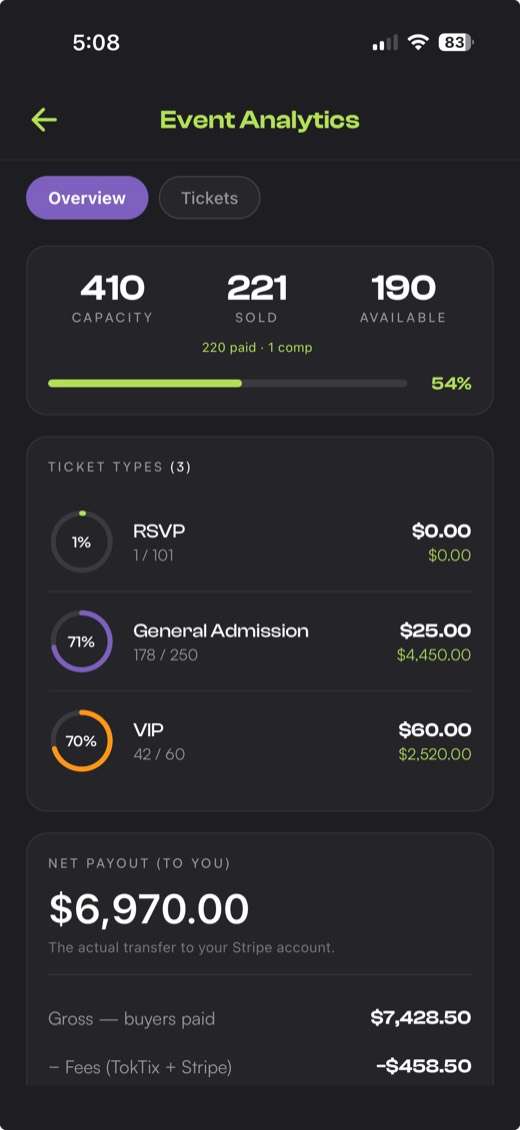
Eventbrite can text your attendees, but only on its Ultimate plan, from two templates, to numbers collected at an Eventbrite checkout. If you want to text your own list in your own words, you need a tool built for it. Here's how Eventbrite's texting works, what every host has to get right before texting anyone, and how TokTix does it.
How Eventbrite texting works
Per Eventbrite's own help center:
- It's on the Ultimate plan only. That's $199 a month, or $1,788 a year, and it's rolling out gradually, so it may not be on your account yet.
- 1,000 texts a month are included. Past that you buy bundles: $99 for 1,000, $299 for 5,000, $999 for 25,000.
- You pick a template. There are two, Promote and Remind, and the message comes from Eventbrite.
- Only Eventbrite checkout numbers count. You can text numbers collected at an Eventbrite checkout since October 6, 2026. Numbers from past orders and imported lists can't be texted.
- The permission belongs to Eventbrite. Guests consent to Eventbrite as the sender, so that list can't be reused in any other texting tool.
- US numbers only.
All of that is from Eventbrite's SMS campaigns help article. If you're already paying for Ultimate, that's a real feature you should use. If you're not, $199 a month is a lot to pay just to send a reminder.
Before you text anyone: two things every host has to get right
This part applies no matter which app you use. I'm not a lawyer and this isn't legal advice, but these are the two rules that trip people up.
1. Permission, in writing. Marketing texts need the person's clear permission first, and an easy way out (reply STOP). A phone number on a ticket order is not permission to market to someone. A checkbox they actually ticked is.
2. Carrier registration. US carriers filter texts sent in bulk from ordinary local numbers unless the sender is registered (the industry calls it 10DLC: your brand plus what you're sending and why). Unregistered texts get blocked or land late. Registering yourself takes paperwork, fees and a review that can bounce.
Any texting tool worth using handles the second part for you and makes the first part easy.
The other ways hosts text guests
- Eventbrite: Ultimate plan only, templates, as above.
- Posh: texting is free to send. Blasts to everyone who has come to your events are capped at 10 every 30 days, blasts to one event's guests are unlimited until three days after it, and a custom number is $19.99 a month.
- Partiful: up to 10 text blasts per event, to that event's guests, for up to 60 days after it.
- A separate texting app: works with any ticketing, but you copy your guest list over by hand every time, and the permission part is on you.
How texting works on TokTix
Texting is the core of the app, and it's on the free plan.
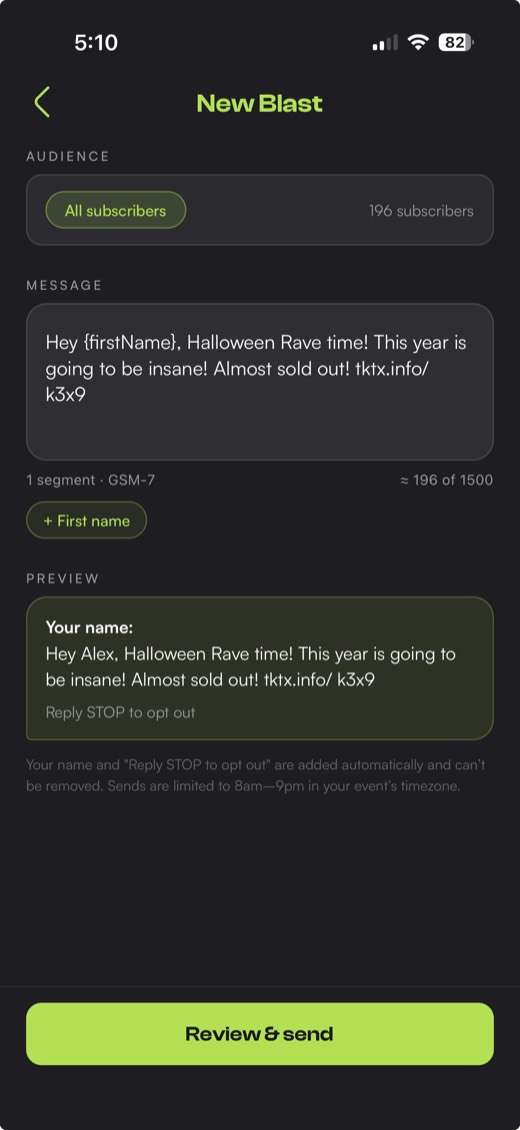
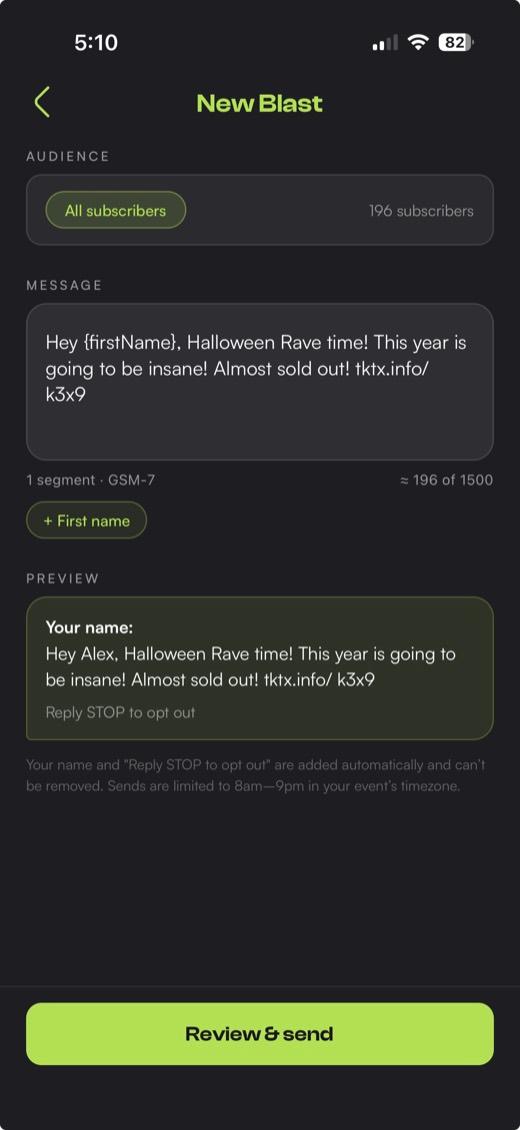
- Buyers opt in at checkout. Then they get one confirmation text and tap to confirm. Only people who confirm get your blasts. That costs you some reach, and it's also what keeps your number from getting flagged.
- One list across every event. Everyone who confirms stays on your list from party to party, not just one event's guest list.
- You write it, from your phone. Doors pushed to 10. Last call on the early price. Here's the address again.
- The carrier registration is handled. You never touch the 10DLC paperwork.
| Plan | Free | toktixPRO | toktixMAX |
|---|---|---|---|
| Price | $0 | $49 a month | $99 a month |
| Credits a month | 500 | 5,000 | 10,000 |
| Blasts a month | 5 | 10 | 30 |
| Sends from | The shared TokTix number | Your own local number | Your own local number |
| Two-way inbox | No | Yes | Yes |
One credit sends one text of about 160 characters; longer texts or emoji use a few more. Replies from your guests never cost credits. Extra credits can be bought anytime and never expire.
And here's the same monthly texting next to Eventbrite's:
| Texts a month | TokTix | Eventbrite |
|---|---|---|
| 500 | $0 Free plan | $199 Ultimate |
| 1,000 | $49 toktixPRO | $199 Ultimate |
| 5,000 | $49 toktixPRO | $498 Ultimate + 5,000 bundle |
| 10,000 | $99 toktixMAX | $797 Ultimate + two 5,000 bundles |
One text per person. Eventbrite counts a text per person however long the message; TokTix counts a credit per 160 characters, so a long message can use two. Ultimate is a full plan with other marketing tools; this counts texting only. Eventbrite figures from Eventbrite's SMS help page, checked November 28, 2026.
Where Eventbrite still wins
If you're already on Ultimate, the texts are included and they come from the same place your tickets do. Eventbrite's email is also good, with real sending limits, and for some crowds email is enough. TokTix is the better fit when texting is how you actually fill the room and you'd rather not pay $199 a month to start.